Introducing the RTM Billing Dashboard: Track CPT Codes and Revenue for Vestibular Rehabilitation
VOR Eye Rehab now includes a built-in RTM billing dashboard that tracks all 6 CPT codes (98975-98981), calculates estimated revenue, and helps vestibular rehabilitation professionals maximize reimbursement.
VOR Eye Rehab Team
Published on February 21, 2026
Listen to this article
Natural Language Narration · 10 min
Remote Therapeutic Monitoring (RTM) represents a significant revenue opportunity for vestibular rehabilitation professionals. With CMS reimbursement rates totaling over $130 per patient per month, RTM can offset the cost of digital health tools many times over. The challenge? Tracking eligibility across six different CPT codes, each with its own thresholds and requirements.
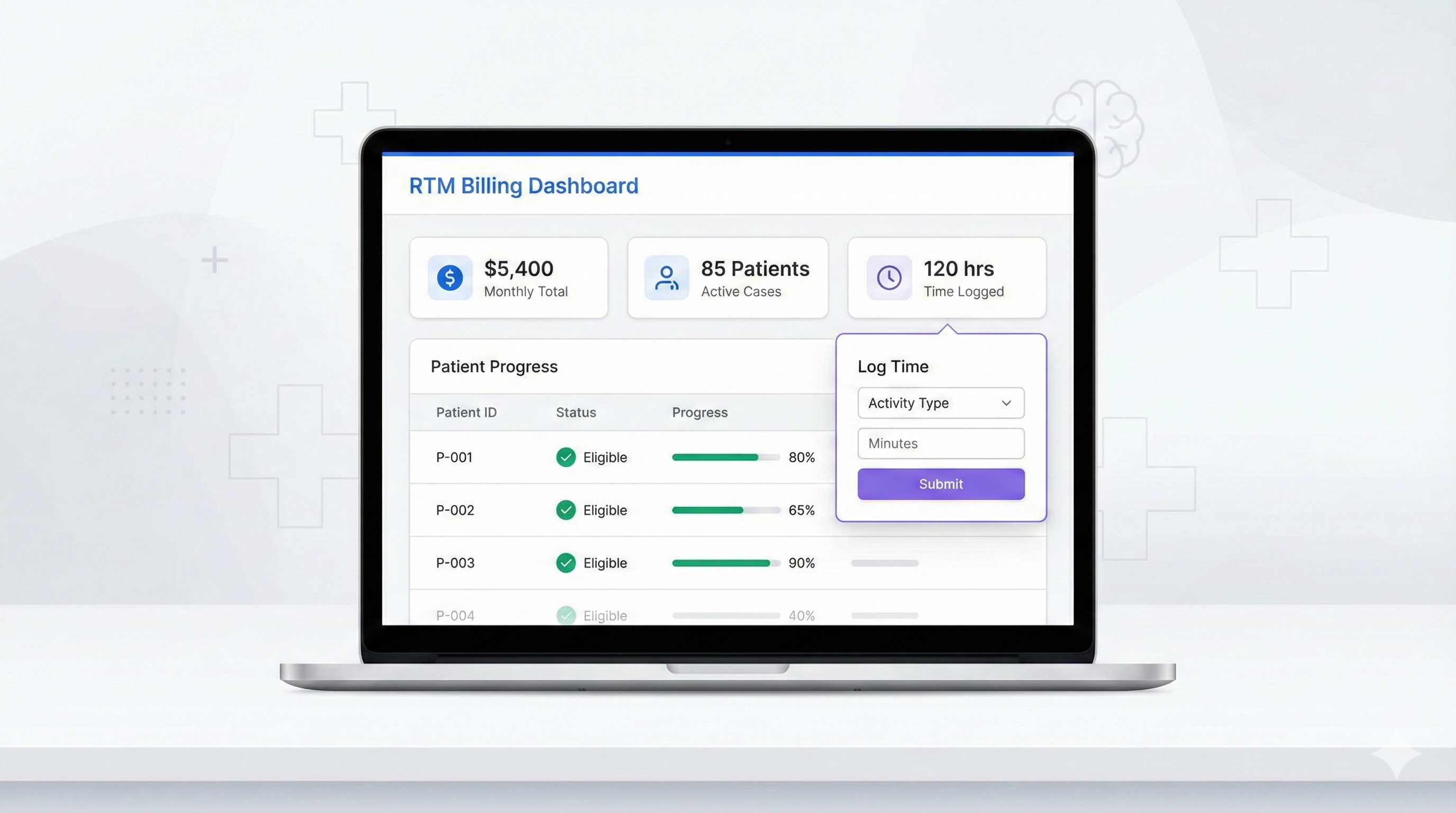
That changes today. VOR Eye Rehab’s Pro Portal now includes a dedicated RTM Billing Dashboard that automates code eligibility tracking, time logging, and revenue estimation for every linked patient.
What Is RTM and Why Does It Matter?
Remote Therapeutic Monitoring allows healthcare providers to bill for monitoring patient-generated health data outside of traditional office visits. Unlike Remote Patient Monitoring (RPM), which focuses on physiological data like blood pressure or heart rate, RTM covers musculoskeletal and therapy-related data — making it a perfect fit for vestibular rehabilitation.
When your patients use VOR Eye Rehab at home, they generate exercise data that counts toward RTM device supply codes. Your clinical time reviewing that data and communicating with patients qualifies for management codes. The result: you get reimbursed for work you’re already doing.
The 6 CPT Codes at a Glance
The RTM billing dashboard tracks all six relevant CPT codes:
Device Supply Codes
These codes reimburse for the technology platform that collects and transmits patient data. Eligibility is based on how many unique days a patient actively uses the app during the billing month.
CPT 98975 — Initial Setup ($19.73)
Billed once per treatment episode when a patient first begins RTM. Requires at least 2 active days in the initial month. This covers the time spent configuring the monitoring platform for the patient.
CPT 98985 — Device Supply, Moderate ($25.00)
New for 2026. Covers patients with 2 to 15 unique data transmission days per month. This fills the gap for patients who are actively engaged but haven’t yet reached the 16-day threshold.
CPT 98977 — Device Supply, High ($43.02)
The standard device supply code for patients transmitting data on 16 or more unique days per month. This is the benchmark for highly engaged patients.
Management Codes
These codes reimburse for practitioner time spent reviewing patient data, adjusting treatment plans, and communicating with patients. They require active time logging and documented interactions.
CPT 98979 — Management, Partial ($30.00)
New for 2026. Covers 10 to 19 minutes of clinical management time per month. Designed for patients who need monitoring but don’t require the full 20-minute threshold.
CPT 98980 — Management, First 20 Minutes ($50.14)
The primary management code. Requires 20 or more minutes of documented clinical time plus at least one interactive communication (phone or video call) with the patient during the billing month.
CPT 98981 — Management, Additional 20 Minutes ($39.14 per unit)
Each additional full 20-minute block of management time beyond the first 20 minutes. Only billable after CPT 98980 is met. For patients requiring extensive clinical oversight, multiple units can be billed.
How the Dashboard Works
At-a-Glance Summary
The dashboard opens with four summary cards showing your monthly totals:
- Total Patients — All actively linked patients
- Billable Patients — Patients with at least one eligible CPT code
- Estimated Revenue — Total potential reimbursement for the month
- Average Days Active — Mean patient engagement across your panel
Per-Patient Tracking
Each patient row in the dashboard displays:
- Days active with a visual progress bar toward the 16-day threshold
- Management time logged for the month
- Communications count with status indicators
- Eligible codes shown as a badge (e.g., “4/6”)
- Estimated revenue for that patient
Click any patient row to expand a detailed CPT code checklist. Each code card shows the current progress toward its threshold, eligibility status, and estimated reimbursement. Codes with unmet requirements display specific guidance — for example, if management minutes are met but no interactive communication has been logged, the dashboard tells you exactly what’s needed.
Time and Communication Logging
Two dedicated logging tools are built directly into the dashboard:
Log Management Time — Record the minutes you spend reviewing a patient’s exercise data, adjusting their program, or managing their care. Each entry includes duration, a description of the activity, and the date.
Log Interactive Communication — Document phone calls or video calls with patients. CMS requires at least one interactive communication per month for CPT 98980 eligibility, and the dashboard tracks this automatically.
Both tools feed directly into the eligibility calculations, so you can see the impact on billable codes in real time.
Revenue Potential
Consider a typical scenario with an actively engaged patient:
| Code | Requirement | Reimbursement |
|---|---|---|
| 98975 | Initial setup (first month) | $19.73 |
| 98977 | 16+ active days | $43.02 |
| 98980 | 20+ min management + 1 call | $50.14 |
| 98981 | 10 additional management min | $39.14 |
| Total | $152.03 |
At $9.95 per patient per month for VOR Eye Rehab’s Pro subscription, the RTM reimbursement alone can provide a 15x return on your investment — before accounting for improved patient outcomes and reduced no-show rates.
Even patients with moderate engagement (2-15 active days, 10-19 management minutes) can generate $55+ per month through the new 2026 codes (98985 and 98979).
Getting Started
If you’re already using VOR Eye Rehab’s Pro Portal, the RTM Billing Dashboard is available now in your sidebar navigation. No additional setup is required — the dashboard automatically tracks exercise data for all your linked patients.
For new users:
- Create a professional account at the Pro Portal
- Link your patients by sending invite codes through the platform
- Patients install VOR Eye Rehab and enter their invite code
- Monitor the RTM dashboard as patient exercise data flows in automatically
- Log your management time and communications through the built-in tools
- Submit claims to payers using the eligibility data from the dashboard
Best Practices for Maximizing RTM Revenue
Encourage daily use. The 16-day threshold for CPT 98977 ($43.02) is significantly more valuable than the 2-15 day range for 98985 ($25.00). Patients who use the app as part of their daily routine generate the most billable value.
Log time consistently. Even brief reviews of patient data count toward management minutes. Five minutes reviewing exercise progress, three minutes adjusting difficulty levels, and a quick chart note easily add up to the 20-minute threshold over a month.
Schedule monthly check-ins. A single phone or video call unlocks CPT 98980 ($50.14). A brief 5-minute check-in call to discuss progress and adjust the home exercise program satisfies this requirement.
Review the dashboard weekly. The month-by-month navigation lets you track trends over time and identify patients approaching eligibility thresholds. Catching a patient at 14 active days early in the month gives you time to encourage a few more sessions.
Compliance Notes
The RTM Billing Dashboard is a clinical support tool designed to help you track eligibility and estimate revenue. It does not submit claims or guarantee reimbursement. Always verify payer-specific requirements, as coverage policies for RTM codes vary by insurance carrier.
All patient data displayed in the dashboard is protected by HIPAA-compliant encryption at rest and in transit. Management time descriptions and communication notes are stored with field-level AES-256-GCM encryption.
The dashboard is available in English, French, and Spanish to support multilingual clinical teams.
The RTM Billing Dashboard is available now for all VOR Eye Rehab Pro Portal users. Visit your Pro Portal to start tracking CPT code eligibility and maximizing your RTM revenue today.
Tags
Written by
VOR Eye Rehab Team
Expert insights on vestibular rehabilitation and eye health.
Related Articles
Find a Provider: 735 Clinic Listings Now in Eye Rehab
Browse 735 clinic listings in Eye Rehab. Search by clinic name or city, filter by specialty, and learn what happens when you send a connection request.
Ilyas Bakouch, Founder of Eye Rehab
September 5, 2026

EMR Outbox: Stop Charting Vestibular Care Twice
Eye Rehab's new EMR Outbox turns completed assessments, clinic visits, discharge reports, and RTM month closes into chart-ready notes and PDFs you file into Jane, WebPT, or any EMR - so the work you already did in Eye Rehab stops becoming a second round of typing.
EyeRehab - VOR Training Team
July 6, 2026
A Vestibular Clinic Workflow: From Assessment to Home-Program Review
A practical handoff checklist for clinic teams: connect the clinician's plan, home-session records and the next review without confusing activity with recovery.
EyeRehab Team
June 15, 2026